
Video doorbell installation in Brisbane: hardwiring vs battery, and the real wiring needed
Ring, Eufy, Reolink: the differences between battery and hardwired install, the transformer requirements, and the data cable for a 2026-spec doorbell.
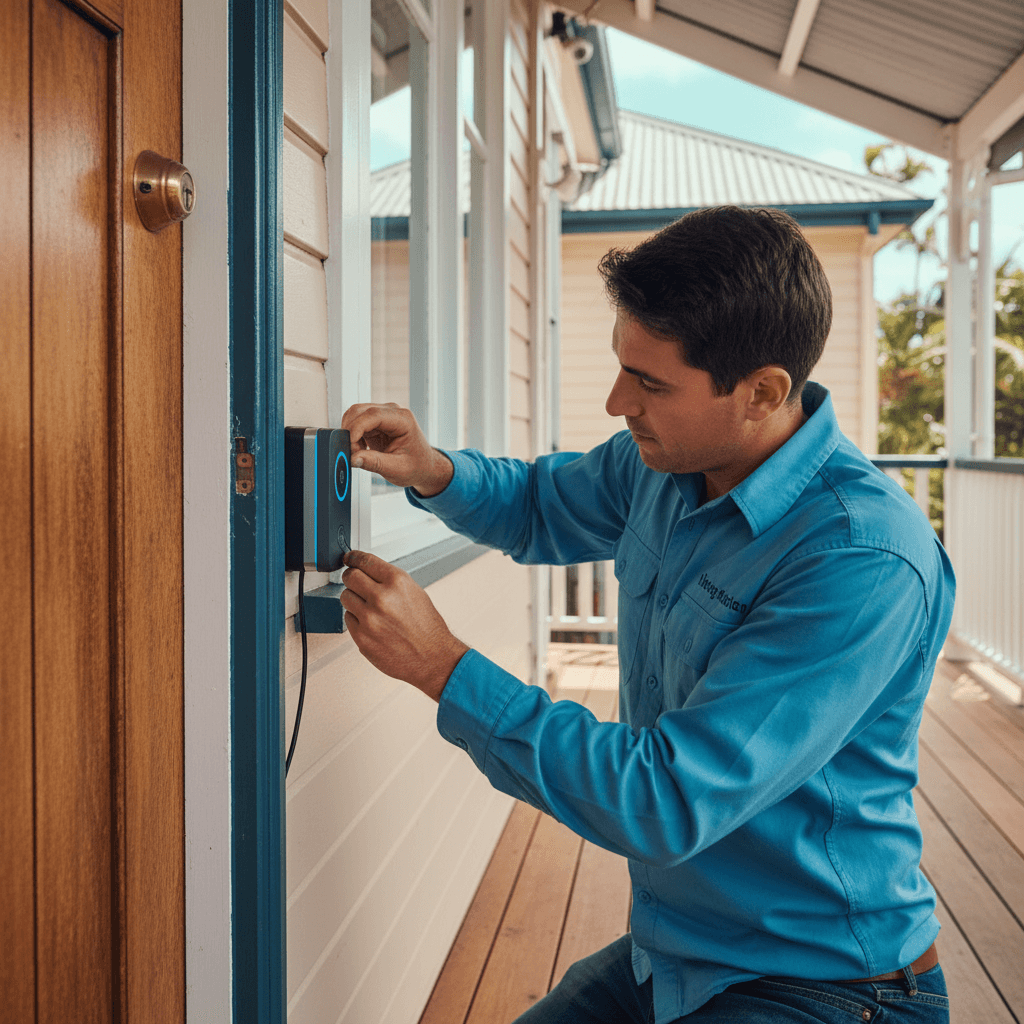
I get calls about video doorbells a few times a month. Half the time the person has already bought a Ring or Eufy, got halfway through installation, and discovered the wiring situation at their front door is nothing like the YouTube video suggested. Let me save you that experience.
The short version: battery video doorbells need no electrician, are fine if you're happy charging every 2-4 weeks, and work well in most Brisbane homes. Hardwired doorbells are better long-term but require either an existing low-voltage doorbell transformer (which many Brisbane homes don't have) or a licensed sparky to run new cabling. PoE doorbells are the best option if you want reliability and don't mind Cat6 to the front door.
Battery vs hardwired: the honest comparison
Battery doorbells (Ring Battery, Eufy S220, most entry-level models):
- No electrician required. Drill the mount, plug in the charging cable to charge, press mount to wall.
- Video quality is the same as hardwired versions of the same brand.
- Battery life varies: 1-4 weeks depending on motion activity, video resolution, and how much the sun heats the unit. A Brisbane north-facing door in summer will chew through battery faster than a south-facing shaded position.
- No continuous recording. Records clips on motion/button press only. Fine for most homes.
Hardwired doorbells (Ring Wired, Ring Pro, Eufy E340, Nest Doorbell wired):
- Powered continuously from existing doorbell wiring or a new low-voltage transformer circuit.
- Can run continuous recording (uses more storage).
- No battery management. You install it and it runs.
- Requires compatible low-voltage transformer (most need 16-24V AC, 20VA or more).
- Installation is partly DIY (connecting to existing doorbell wire) and partly licensed sparky (if new wiring is needed).
The case for hardwired is mostly about not managing the battery. If you have existing doorbell wiring, the hardwired setup is straightforward. If you don't, I'll explain the options below.
Doorbell transformers: what you actually need
Traditional doorbells run on 8-12V AC from a small step-down transformer usually mounted near the switchboard or in a ceiling space. Most video doorbells need 16-24V AC and 20VA or more. The old transformer in your home is almost certainly undersized.
If you have existing doorbell wiring:
- Check the existing transformer output. If it's 16-24V AC and rated 20VA+, a compatible video doorbell can run from it.
- If the transformer is 8-12V or unrated, it needs replacing. A sparky replaces the transformer at the switchboard/ceiling, leaves the existing two-wire bell wire in place, and the doorbell hardwires to that.
- If you have a wireless chime kit you want to keep, check compatibility. Some video doorbells have a bypass resistor for old mechanical chimes; others need a digital chime upgrade.
Transformer replacement is a licensed electrical job. The transformer connects to 240V on the primary side.
Alternatively: some hardwired doorbells (Ring Wired for example) can also accept a plug-pack (wall adaptor) instead of a transformer if you're happy with a GPO near the front door and a low-voltage cable run down the wall. This is cleaner than it sounds in some homes.
PoE doorbells: the better option
Power over Ethernet (PoE) doorbells (Reolink Video Doorbell PoE, Hikvision DS-KV8213-WME1, UniFi G4 Doorbell) are powered directly from a single Cat6 cable that runs from a PoE switch in your comms cabinet. One cable does power and data.
Advantages:
- Powered from a cable, not a battery and not a transformer
- High-quality continuous recording
- Integrates cleanly with NVR/NAS camera systems if you have them
- Very reliable power (the PoE switch is inside, on a UPS)
The catch: you need Cat6 run from the front door back to a PoE-capable switch. In a new build that's planned at rough-in stage (see data cabling for new builds). In an existing home, it's a fish job through the ceiling and down the wall, which is a real job.
PoE data cabling must be installed by an ACMA-registered Open Cabling Registration holder. In most cases that's a data cabler, separate from the sparky. We coordinate this regularly.
Running Cat6 to the front door
Even if you're not going PoE right now, Cat6 to the front door is worthwhile. It enables:
- Future PoE doorbell
- Hardwired front door security camera
- Video intercom system
- Ethernet for future external AP
In a typical Camp Hill or Norman Park timber-frame Queenslander, running Cat6 from the comms cabinet to the front door entry is a 2-4 hour job for a data cabler. Cable typically routes through the ceiling cavity and down the interior of the front wall. Finished cost: $350-$600 depending on distance and ease of access.
In a new build, it's a 20-minute rough-in. This is the difference between doing it now and doing it later at 10x the cost.
WiFi performance at the front door
WiFi doorbells (most Ring models, most Eufy, most Nest) connect to your home's wireless network. Front doors are often the worst location for WiFi signal because:
- Routers are typically in the centre or back of the home
- Exterior walls (especially brick veneer or rendered) attenuate signal heavily
- The doorbell is usually right at the edge of the building
If your front door has marginal WiFi coverage, a video doorbell will have recording gaps and connection drops. Fix options:
- Move the router closer to the front of the home (not always practical)
- Add a mesh WiFi node in the hallway or front room (Eero, Orbi, Ubiquiti)
- Run Cat6 and go PoE (eliminates WiFi dependency entirely)
Mesh WiFi is the most common fix for Brisbane homes with WiFi doorbell issues. A ceiling-mounted AP in the front hallway, wired back to the router with Cat6, solves the problem permanently. If you're having the data cabler on site for the Cat6 run, add the AP at the same time.
What it costs in 2026 Brisbane
- Battery doorbell, self-install: $100-$250 hardware, $0 labour.
- Hardwired doorbell, transformer replacement + connection: $250-$450 labour + $50-$100 for new transformer + hardware.
- PoE doorbell, Cat6 run + PoE switch port: $350-$600 data cabling + $100-$300 hardware (doorbell) + switch cost if new.
- Full install including hallway AP for WiFi fix: add $250-$450 for AP and ceiling mount.
One more thing worth knowing: if you go with a battery doorbell now and later decide you want it hardwired or replaced with a PoE unit, the labour cost is the same as if you'd done it in the first place. The wiring job doesn't get cheaper because you already have a doorbell on the wall. So if you're planning to hardwire eventually, now is the time.
If you're already getting electrical work done - powerpoints installed, switchboard work, anything - batch the doorbell into the same visit. Call me on 0411 054 811 and I'll coordinate the data cabler on the same day if needed.
, John
I'm John, local Camp Hill sparky, fully licensed, fixed-price quotes, lifetime workmanship warranty. Ring me direct on 0411 054 811 or send a quick message.
Keep reading
Data cabling for a Brisbane new build or full reno: the future-proof layout
Cat6, Cat6A, fibre, structured panels: the cabling spec that lasts 15 years, room-by-room, with the install pricing.
Home CCTV power requirements (Brisbane install guide)
PoE vs 12V DC, NVR location, UPS backup, IP-rated cabling: the power side of a residential CCTV install for Brisbane homes.