
Data cabling for a Brisbane new build or full reno: the future-proof layout
Cat6, Cat6A, fibre, structured panels: the cabling spec that lasts 15 years, room-by-room, with the install pricing.
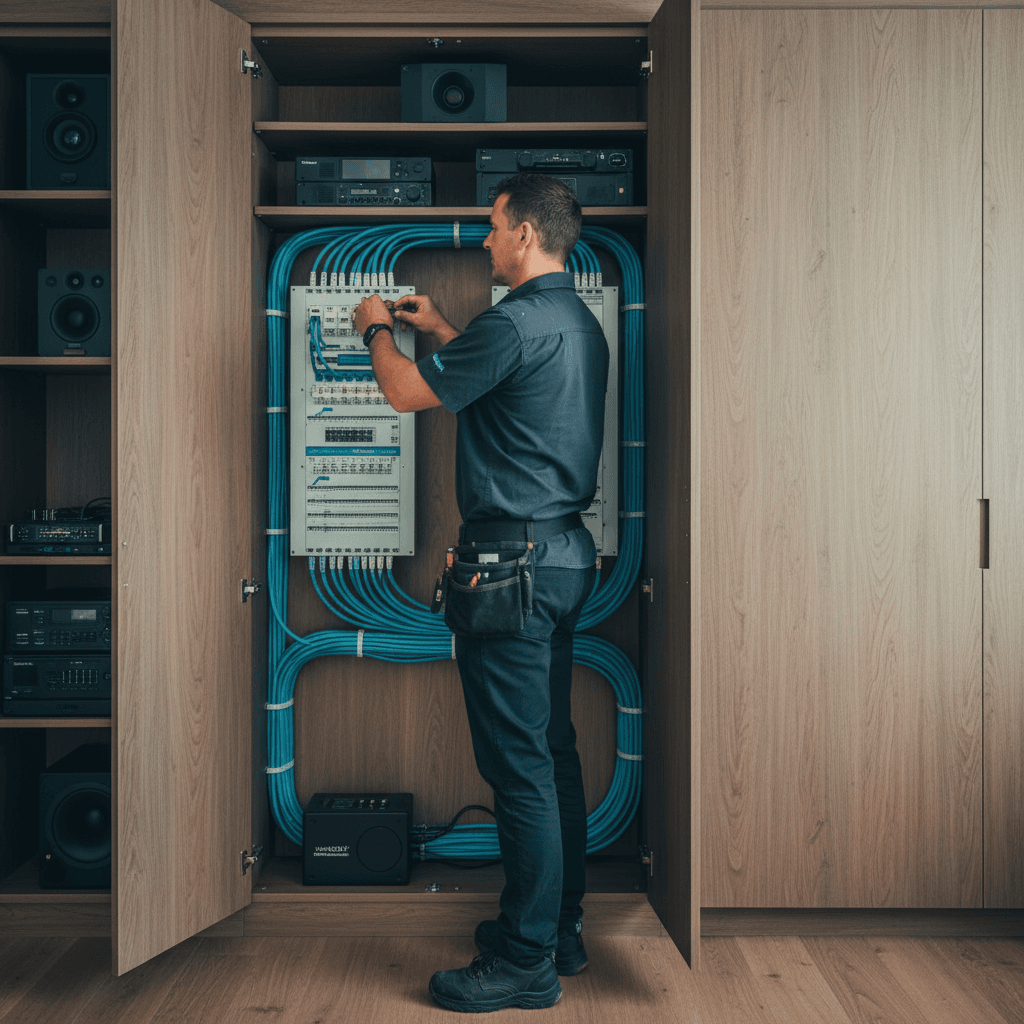
Every new build and full renovation I work on in Brisbane, I have the same conversation: "can't we just use WiFi for everything?" The answer is yes, you can. But in five years when the house has 40 connected devices, two work-from-home setups and a 4K TV that buffers on Netflix, you'll wish you'd pulled the cable.
Data cabling is one of the only parts of a building that costs next to nothing extra when you do it at rough-in stage, and a fortune to add once the walls are closed. Here's the spec I recommend for Brisbane new builds in Camp Hill, Carindale, Wakerley and similar established suburbs.
Why cabling at rough-in stage matters
When the frame is up and the walls are open, pulling a Cat6 cable from a bedroom to a central cupboard takes about 10 minutes and costs roughly $80-$120 per run including the wall plate. Doing that same run after the plaster is on, the cornices are fitted and the house is painted takes 45-90 minutes, involves cutting, patching and repainting, and costs $180-$350 per run minimum.
The best time to plan data cabling is when your electrician is doing the rough-in. It's the same cable access, the same tradespeople on site, and the same Energex paperwork covers the complete scope. Don't leave data cabling as a "we'll sort it out later" item.
Important note on licensing: Fixed data cabling (cable inside walls connected to permanent wall outlets) must be installed by a registered open-cabling cabler, not just any electrician. Most sparkies hold both an electrical licence and an ACMA open-cabling registration. If yours doesn't, ask before they start the data work. I hold both, which means you deal with one person for the full electrical and data scope.
Cat6 vs Cat6A: the honest answer
- Cat6 supports 1Gbps to 100 metres. That is more than enough for any current residential use, including 4K streaming, video calls, gaming and home NAS storage. Current Australian NBN plans top out at 1Gbps. Cat6 is the right choice for the majority of residential new builds.
- Cat6A supports 10Gbps to 100 metres. The cable is thicker (requires larger back boxes) and costs about 40% more per metre than Cat6. Worth considering if you're running a home lab, plan to have a multi-gig router within the next 5 years, or want genuine future-proofing for a 15+ year build.
My recommendation: Cat6 for bedrooms, living areas and most applications. Cat6A for the home office, home theatre and any run that terminates at the comms cabinet itself (patch panel backbone). One grade up at the core, standard Cat6 at the edges.
Fibre (OM3 or single-mode) is not typically necessary in a residential new build unless you have a specific use case (linking a shed or garage to the house over a long run where Cat6 would exceed 100m). OM3 fibre is much cheaper to run at new-build stage than to retrofit later if you need it.
Room-by-room cabling layout
Here's the standard layout I put together for a 4-bedroom Brisbane new build or full reno:
Bedrooms (4 total):
- 1x Cat6 data point per bedroom minimum.
- For master bedroom or home office bedroom: 2x Cat6 + 1x Cat6A if budget allows.
Living/lounge:
- 2x Cat6 at the TV wall (one for TV, one spare for games console or streaming box).
- 1x Cat6 at the opposite wall (behind the sofa for a media centre or second screen).
Kitchen/dining:
- 1x Cat6 at the bench area (for smart display, tablet dock or future NAS access).
- 1x Cat6 near the fridge area if you want a smart fridge connection that isn't relying on WiFi.
Home office/study:
- 2x Cat6 + 1x Cat6A at the desk position.
- 1x Cat6 at printer/copier position.
Home theatre or media room (if applicable):
- 2x Cat6A at screen position.
- 1x Cat6A at the AV rack position (opposite wall or side wall).
Garage:
- 1x Cat6 for NVR (security cameras), home automation hub or EV charger controller.
Total for a typical 4-bed new build: 14-20 data runs, all terminating at a central comms cabinet.
The structured cabling cabinet
All data runs should terminate at a single structured cabling cabinet in a central location: ideally a walk-in linen cupboard, a home theatre cabinet or a dedicated comms niche in the hallway.
The cabinet should contain:
- Patch panel: 24-port is standard for residential; all your wall runs terminate here with RJ45 keystone jacks on the back, patch leads on the front going to the switch.
- Network switch: 8-24 port gigabit (or multi-gig) managed switch. Power it from a GPO inside or adjacent to the cabinet, on the general power circuit.
- NBN NTD (modem) and router: NBN entry point at the comms cabinet means your router is at the centre of the network, not in the living room where the cable technician felt like drilling.
- UPS (uninterruptible power supply): A small 600VA UPS keeps the network running during a brief power interruption. Not essential but worth it in storm-prone SE QLD.
- At least 2U of free rack space for future additions.
The comms cabinet needs a 240V double GPO inside (for the switch and router), plus a second GPO for UPS. Note this in your rough-in spec.
In-wall WiFi access points
Rather than plugging a consumer WiFi router into a point somewhere and hoping for the best, I recommend planning for in-wall or in-ceiling WiFi access points during the rough-in. This involves:
- Cat6 run to each AP location. The AP is PoE (Power over Ethernet), powered by the network switch, no separate power needed at the AP location.
- Mounting plate (recessed or surface-mount depending on ceiling or wall) installed at rough-in stage.
- AP installed after plastering and painting.
For a typical 4-bed Brisbane home, two ceiling-mount APs (one front of house, one rear) is usually sufficient. A particularly long home, or a two-storey build, might need three.
UniFi (Ubiquiti), TP-Link Omada and Netgear Orion are the three brands I see most in Brisbane residential builds. UniFi is overkill for most homes but excellent for anyone who wants granular network control. TP-Link Omada is the sweet spot: good hardware, manageable software, reasonable price.
Cost guide for a new build or reno
2026 Brisbane pricing for data cabling:
- Per run (Cat6), rough-in to patch panel termination, at new-build stage: $80-$130.
- Per run (Cat6A), same: $110-$175.
- Structured cabling cabinet setup (patch panel, labelling, initial test): $280-$480.
- Per ceiling AP rough-in (Cat6, junction box, mounting plate): $90-$140.
- Total for typical 4-bed new build (16 runs, cabinet, 2 AP rough-ins): $1,800-$3,200.
Retrofit pricing (post-plaster) is 2-3x the above per run, which is the core argument for doing it at rough-in.
For a detailed data cabling plan for your Brisbane new build or renovation, ring 0411 054 811. If you're in the framing stage, now is the right time.
, John
I'm John, local Camp Hill sparky, fully licensed, fixed-price quotes, lifetime workmanship warranty. Ring me direct on 0411 054 811 or send a quick message.
Keep reading
Renovation electrical checklist for Brisbane homes (the one your builder won't give you)
What to think about *before* the walls go back up. The 12-point electrical checklist for Brisbane renovations, from powerpoint locations to data cabling.
Video doorbell installation in Brisbane: hardwiring vs battery, and the real wiring needed
Ring, Eufy, Reolink: the differences between battery and hardwired install, the transformer requirements, and the data cable for a 2026-spec doorbell.