
USB-C powerpoint installation: the smart upgrade most Brisbane homes don't know about
Modern double powerpoints with USB-C are 30W fast-charge, no wall warts, declutters the bench. Here's the brands, the spec, and the install cost.
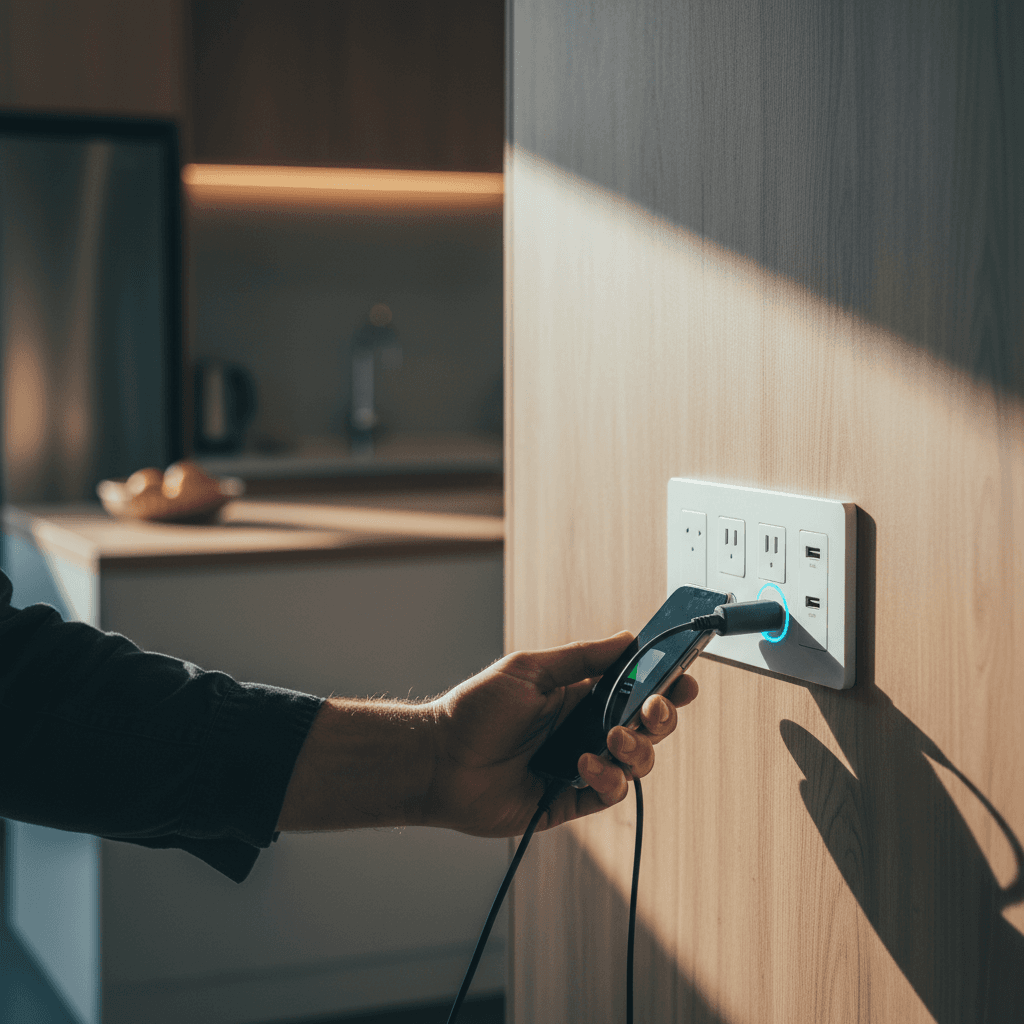
If you're sick of hunting for a wall wart charger at the bedside or fighting over a powerboard in the kitchen, a USB-C powerpoint is one of the better $200-all-up electrical upgrades you can do in an afternoon. The idea is straightforward: a standard double GPO (general purpose outlet) with one or two USB charging ports built directly into the face plate. You plug your phone straight into the wall. No adaptor, no block hanging off the socket, no 10-watt trickle charge that takes four hours.
These are a legitimate, AS/NZS 3000-compliant product. They fit standard wall box depths, same back box as any double powerpoint, and a licensed sparky wires them in the usual way. Not a novelty item from an imports site.
What USB powerpoints actually are
A USB powerpoint replaces a standard double GPO with a unit that has a small switched-mode power supply built into the mechanism. It draws 240V from the circuit and converts it internally to 5V, 9V, or 20V DC depending on the USB protocol being negotiated with the device.
The two 240V sockets remain fully functional. You're not giving up any outlet capacity. You're adding USB ports in the same real estate.
Quality units meet AS/NZS 4268 (radio communications for the onboard electronics) and carry RCM mark (Regulatory Compliance Mark). Never buy a cheap import without RCM. The 240V-to-USB converter sitting inside your wall needs to be tested and listed.
Brands worth fitting
Three brands I'll actually recommend:
- Clipsal Iconic with USB-A + USB-C combo. Clipsal is the dominant Australian brand for a reason. The Iconic range is well-built, the white matches most existing plates, and the 30W USB-C output handles iPad and modern Android flagships without issue. Retail around $75-$95 per unit.
- Legrand Excel Life with USB-A + USB-C. Legrand's Australian offering, slightly more design-forward, available in white and more premium finishes. Good build quality, same wattage class. Around $80-$100.
- HPM Linea with dual USB-A + USB-C. More budget-oriented, still RCM-marked, 18W PD on the C port. Fine for kids' bedrooms and hallway charging stations. Around $50-$65.
I'd steer clear of no-name imports from online marketplaces. The conversion circuitry in these can overheat, and they frequently lack proper AS/NZS certification for the internal power supply.
Wattage and what it means in practice
The number that matters is the USB-C wattage, because that's what determines how fast your most demanding devices charge.
- 18W charges a modern iPhone at roughly 50% per hour. Fine for overnight, slow if you need a top-up during the day.
- 20W is the sweet spot for iPhones and most mid-range Android. Most Clipsal and Legrand units land here.
- 30W handles iPad Pro, Samsung Galaxy S-series, and most modern laptops at reasonable speed.
- 65W+ units exist but they need specific mains-side derating checks and don't fit standard backboxes easily. Not the domestic wall powerpoint product.
USB-A ports on these units are usually 12-15W maximum. Fine for wireless earbuds, watches, and older phones. If you're fast-charging a flagship, use the C port.
One thing to note: the total output is shared. A unit rated 30W on USB-C delivers less if USB-A is also active. Most manufacturers spec the maximum per-port, not the combined maximum. Check the datasheet if you're running two heavy devices simultaneously.
The installation process
This is a licensed electrical job. Swapping a powerpoint mechanism requires isolating the circuit, removing the existing GPO, and connecting the new unit to the existing wiring. Under the Electrical Safety Act 2002 (QLD), that's electrical work, full stop. It cannot be done by the homeowner.
In practice, the job takes 15-20 minutes per powerpoint once the sparky is on site. If the existing back box is a standard 35mm deep, the USB unit slots straight in. Some older homes have shallower boxes; in those cases a new back box may need to be fitted first, which adds time but not much.
What you should NOT do: buy one from Bunnings and try to wire it yourself. The fine under the Electrical Safety Act runs to tens of thousands of dollars for unlicensed electrical work, and your home insurance will not cover fire damage caused by DIY electrical work. It's not worth it for a $100 fitting.
If you're adding powerpoints to a Queenslander at the same time, batch the USB upgrades into the same visit. The travel cost is already covered.
Best locations in the home
Based on what I've fitted across Camp Hill, Bulimba, and Carina in the past few years:
- Bedside tables (both sides of the bed) - the single highest-value location. Eliminates the adaptor-on-bedside-table problem entirely.
- Kitchen breakfast bar or splashback - phone charging while cooking. Keeps the bench clear of charger cables.
- Study or home office desk - if you don't have a USB hub, a wall powerpoint with C port keeps the desktop cable count down.
- Hallway or entry - a central charging station for the household. One location, kids know where to leave their devices.
- Living room media wall - TV remotes, game controllers, anything battery-powered that lives near the couch.
I'd prioritise bedside and kitchen first. Those are the two locations where people most consistently run extension leads and power boards as workarounds.
Cost in 2026 Brisbane
Hardware: $50-$100 per unit depending on brand and wattage.
Labour: $75-$130 per powerpoint for the swap. On a batch of 3-4 in one visit, the per-unit labour drops because the sparky is already on site and the travel is already covered.
So realistically, two bedside units and a kitchen unit comes to roughly $400-$600 fitted, hardware included. That's a one-time cost for a fitting that lasts 15-20 years.
A few questions I get asked regularly:
"Can I fit them to a double powerpoint that's currently on a shared circuit?" Yes. The USB power supply draws less than 10W at idle. It doesn't add meaningful load to the circuit.
"What happens when the USB standard changes?" The 240V socket on the wall doesn't change. If you buy a device in 10 years that uses a different connector, you use the socket. The USB-C port is a convenience for current devices. USB-C has an extremely long standardisation runway - the EU mandated it as the universal standard in 2024, so it is going to be around for a while.
"Can they go outside or in a bathroom?" No. These are standard-rated indoor units. Outdoor and bathroom applications need IP-rated fittings, and adding a USB conversion module in those environments is not a standard product category. Outdoor and bathroom = standard GPO with no USB.
"What if the USB port fails?" The 240V sockets still work. The USB circuitry is internal to the mechanism. If the USB stops working, the sparky replaces the mechanism - the same process as fitting it. Usually under warranty from the manufacturer for the first 2-3 years.
If you're getting a switchboard upgrade or any other electrical work done, add USB powerpoints to the list and do them in the same call-out. It's the most cost-efficient way to get it done.
Ring 0411 054 811 to get a quote. Tell me which rooms, I'll tell you what fits and what it costs, no obligation.
, John
I'm John, local Camp Hill sparky, fully licensed, fixed-price quotes, lifetime workmanship warranty. Ring me direct on 0411 054 811 or send a quick message.
Keep reading
Adding powerpoints to a Queenslander: how to do it without ruining the floors
Queenslanders look beautiful and were wired terribly. Here's how to add powerpoints to one without lifting every floorboard or chasing every wall.
Kitchen renovation electrical checklist for Brisbane (the one your kitchen designer forgot)
Cooktop circuits, oven circuits, dishwasher, microwave, fridge, range hood, USB, lighting layers: the proper electrical scope for a Brisbane kitchen reno.