
How often should you press the test button on your safety switch? The 90-second checklist
The legal, the AS/NZS recommended, and the real-world answer to how often to press T on your safety switch. With a 90-second monthly check anyone can do.
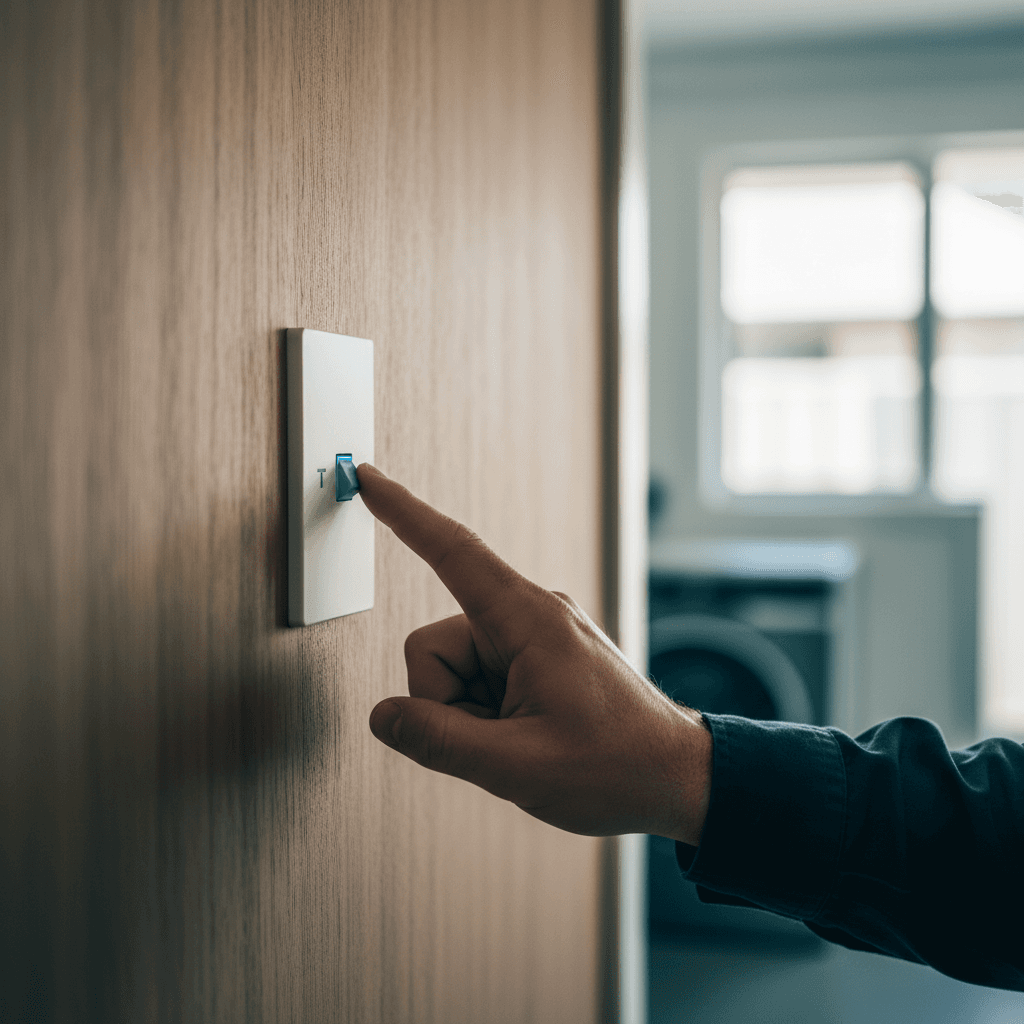
The test button on your safety switch is the small button labelled "T" or "Test". Most homeowners have never pressed it. A smaller number press it regularly. A vanishingly small number press it and then check that everything they expected to trip actually tripped.
Here is the honest answer on frequency, what the test tells you, and what it does not.
How often should you test it?
The formal guidance from AS/NZS 3760 (the inspection and testing standard for electrical equipment in service) and most safety switch manufacturers is every three months minimum. The Electrical Safety Office in Queensland recommends quarterly testing for residential safety switches.
My personal recommendation is monthly. The test takes about 90 seconds, there is no harm in doing it more frequently, and a monthly habit means any failure gets caught before it has been sitting there for three months without you knowing.
Put it in your calendar. Link it to something you already do monthly, quarterly rates bill, first Sunday of the month, whatever works. The safety switch does not care.
Why the test button matters
A safety switch (RCD) works by detecting an imbalance between the current flowing out on the active conductor and the current returning on the neutral. When that imbalance reaches 30 milliamps, it trips in under 40 milliseconds. That response is what stops a faulty appliance from sending lethal current through your body.
The problem is that RCDs can drift. The mechanical trip mechanism and the electronic sensing circuit both age. In particular, the trip speed and the trip threshold can both degrade over time, so that what was once a crisp 30mA trip becomes a slower, higher-threshold event.
Pressing the T button runs a small current through an internal test resistor that simulates a 30mA fault. If the RCD trips, you know the mechanism is working. If it does not trip, or if it is sluggish, you have a failed safety switch that needs replacement.
What the T button test does not tell you is whether the RCD will still trip at exactly 30mA, or whether it will trip in exactly 40 milliseconds. For that you need an RCD tester, which a licensed sparky brings on-site. If I have not done an RCD test on your board in the past few years and your board is over 10-15 years old, ask about it next time I am there.
The 90-second monthly test
Do this during daylight hours so you can see what you are doing at the switchboard.
- Tell everyone in the house you are about to cut power to some circuits for about 30 seconds. Computers, anything actively saving, warn them first.
- Open your switchboard and locate the safety switches. They are the wider units with a "T" or "Test" button on the face. In a modern board with RCBOs, each circuit breaker has its own T button.
- Press the T button on each safety switch, one at a time. The switch should snap to the OFF position immediately.
- Confirm what tripped. Look at which circuits have dropped out. In an older board with one shared RCD per group of circuits, all circuits on that group will go off. In a modern RCBO board, only that one circuit trips.
- Reset by flipping the switch back to ON. If it immediately trips again without you pressing T, you have a fault on that circuit, which is a different issue.
- Note the date. Either in a notebook, a phone note, or on the inside of the switchboard door. You want a record.
Total time: under two minutes if you know where your board is and have tested before.
What failure looks like
Three failure modes to know:
It does not trip at all when you press T. This is the bad one. The RCD mechanism has failed and the device is not providing protection. Do not continue using the circuit until a sparky has assessed and replaced the unit.
It trips but will not reset. When you press T and then try to reset, it immediately trips again. This usually means there is an active fault on the circuit, something plugged in is leaking current. Try unplugging everything on that circuit, then reset. If it holds with nothing plugged in, add things back one at a time until you find the culprit appliance.
It is stiff or slow. The mechanism should snap positively. If it is slow, or if you have to push quite hard on the T button to get it to trip, the mechanism has aged and the device is not reliable. Get it replaced.
When to replace rather than test
Replace the RCD (or have it assessed) if any of the following apply:
- It does not trip on the T button test
- It is over 15 years old (RCDs drift with age; the electronic sensing circuit degrades)
- It trips spontaneously with no apparent fault on the circuit. A trip that happens for no obvious reason, with nothing plugged in, points to the device itself failing rather than a wiring fault
- It was in a switchboard that sustained water ingress or physical damage
- The mechanism feels different to how it used to, stiff, slow, or the reset is spongy
For a full switchboard assessment or if your T button test has revealed an issue, ring me on 0411 054 811. Testing is included in most routine service visits and takes about 10 minutes to do properly with a calibrated tester.
, John
I'm John, local Camp Hill sparky, fully licensed, fixed-price quotes, lifetime workmanship warranty. Ring me direct on 0411 054 811 or send a quick message.
Keep reading
Safety switches explained: what they do, how to test them, and why one isn't enough
Safety switches are the device that saves your life when an appliance faults. Here's how they work, why most Brisbane homes don't have enough of them, and how to test the ones you've got.
7 signs your switchboard needs upgrading (and why Brisbane homes are usually first in line)
Trips when the kettle's on. Burnt-plastic smell. Ceramic fuses. The seven signs your old switchboard is on its way out, and what a modern compliant board actually looks like.