
Home automation wiring for a new build: the rough-in plan that doesn't age out
Conduits, structured cabling, smart switches, KNX vs WiFi: the home automation pre-wire plan for a Brisbane new build that lasts 20 years.
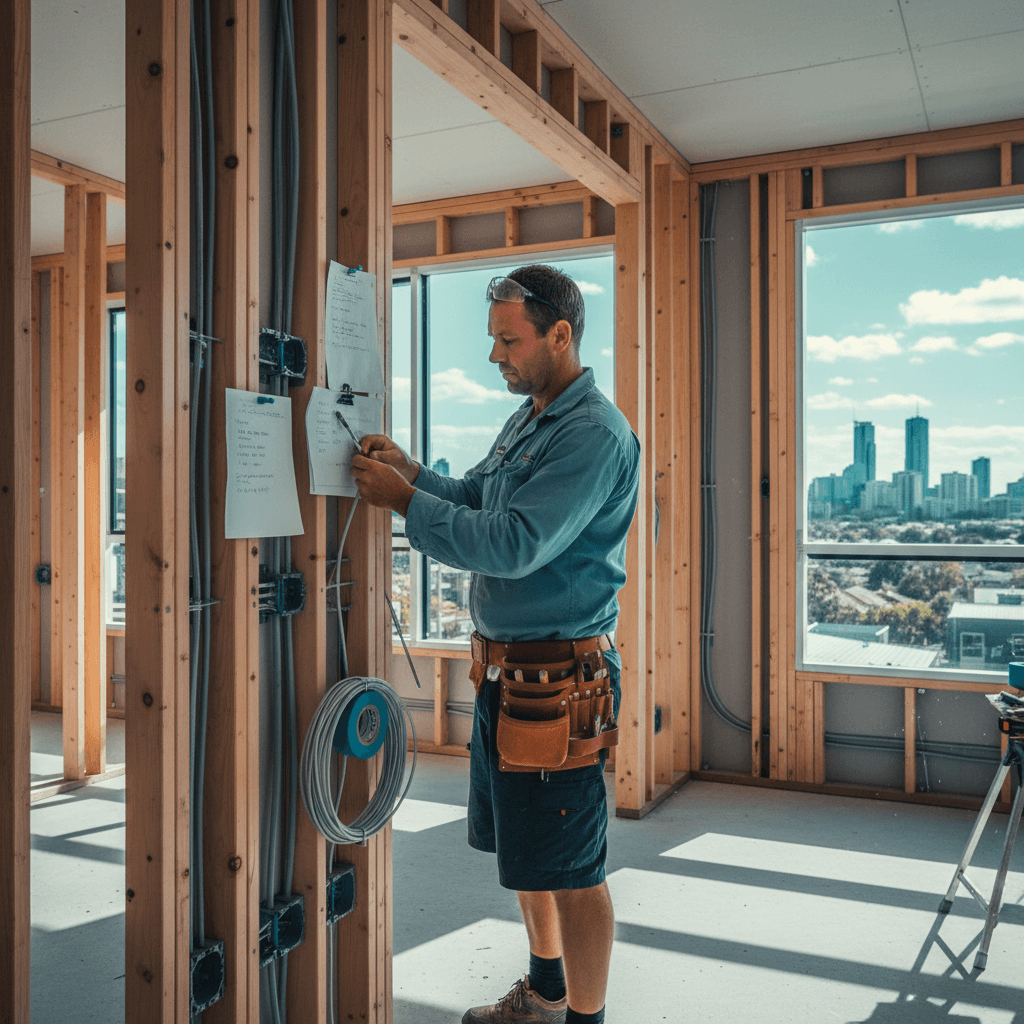
The worst time to plan home automation is after the walls are closed. The second worst time is after you've chosen a protocol that doesn't work with anything you bought three years later. I've been involved in enough new-build rough-ins in Wakerley and Gumdale to know what the regrets sound like. Here's the pre-wire plan that gives you maximum flexibility regardless of which smart home system you end up committing to.
The core idea: during the frame stage, pull cables and conduits to every place you might ever want smart control. Hardware changes, protocols change, but cable in the wall is permanent. Do it now, do it once.
Choosing a protocol that survives the decade
You need to understand the options before you wire for them, because different protocols have different wiring requirements.
WiFi (Tuya, Shelly, Kasa): no hub, uses your existing router. Cheap to buy. Fragile at scale (every device is on your 2.4GHz spectrum), cloud-dependent, and 5-10 devices in is when performance starts being annoying. Fine for 3 smart lights and a doorbell. Not the right answer for a whole-house system.
Zigbee (Philips Hue, Aqara, IKEA): mesh radio, no WiFi congestion, fast, local (hub-based), cheap devices. Hub required (Hue Bridge, Home Assistant stick). Works well in Australian homes. No special wiring beyond neutral at switch positions.
Z-Wave: similar to Zigbee, different frequency (908 MHz in AU), slightly more expensive devices, better interference rejection. Good for locks, sensors, motorised blinds.
Matter/Thread (2023 onwards): the emerging universal standard backed by Apple, Google, Amazon, and Samsung. Thread is the underlying mesh protocol. It is the direction the industry is moving. Devices are appearing rapidly. Worth designing for.
KNX: commercial-grade bus wiring system. A dedicated KNX bus cable runs to every switch, sensor, and actuator. The intelligence is in centralised programmable modules. Extremely reliable, fully local, infinitely programmable, and the electrician and programmer need KNX certification. Cost-band starts around $25,000-$30,000 for a 4-bedroom home. The right answer for serious builds where the client has a clear, detailed vision.
My recommendation for most Brisbane new builds in 2026: design for Zigbee/Matter/Thread. Wire neutrals everywhere. Pull Cat6 to every switch position. Run conduit to uncertain future-need locations. This handles 90% of what people actually end up using, at a cost that doesn't require a boardroom sign-off.
Conduit and cabling rough-in
The decision that costs nothing during frame stage and costs $5,000+ to retrofit is conduit. Here's what I rough-in on a well-planned new build:
20mm conduit runs to:
- Every switch position (allows Cat6 pull-through to a smart switch or KNX device later)
- Every ceiling light point (allows DC driver cable if going LED driver-based system)
- TV and entertainment locations (Cat6, HDMI, optical audio future-proofing)
- Under kitchen island bench (power + data)
- Garage (EV charger circuit pre-run, data)
Cat6 runs to:
- Every switch position (for smart switches that need data, or KNX bus)
- Every ceiling AP (wireless access point) location - plan 1 per 80-100 sqm
- All AV locations
- Security camera positions (PoE cameras)
- Video doorbell position
- Structured cabinet to every bedroom (future multi-room audio)
Data cabler note: any fixed structured cabling in Australia must be installed by an ACMA-registered Open Cabling Registration holder. The electrical sparky and the data cabler are often different trades. Plan for both at the same time so we're not chasing each other through the ceiling.
Switch positions and neutrals
The decision that makes or breaks smart lighting is whether you have neutral at every switch. Traditional switching in Australian homes runs the neutral directly to the light, not to the switch - so the switch position only has active and switched-active, no neutral. Most cheap smart switches cannot operate without neutral. Some Shelly/Aeotec devices claim "no neutral" operation but they do it by leaking a tiny current through the lamp which causes flicker with LED globes.
Specify neutral at every switch in your contract with your builder. It's a small cost addition at frame stage. It keeps every current and future smart switch option available.
Also specify: 2-gang or 3-gang back boxes at all switch locations, even if only one switch is initially installed. Switching from 1-gang to 2-gang after walls are plastered means cutting and patching.
Structured cabling cabinet
Every serious smart home needs a central home for its networking and control infrastructure. For a 4-bedroom Brisbane new build, I plan:
- 6-9U wall-mount rack in a dedicated cupboard (laundry or under-stair is common)
- Patch panel (24-port Cat6) terminating all cable runs
- PoE switch (24-port, managed) - powers APs, cameras, video doorbell, smart home devices
- NAS or server shelf for local Home Assistant or similar hub
- UPS (uninterruptible power supply) - keeps networking alive during power blips and storm outages
- NBN/modem shelf at top
The cupboard needs: a GPO on a separate circuit, adequate ventilation (these devices run warm), and a door that locks (all your home's network lives here).
If you're in Wakerley or Gumdale where the homes are newer and bigger, I typically see 9-12U racks with 48-port PoE switches for the scale of camera and AP count.
Power budget for smart systems
Smart home systems have a power draw profile that surprises some clients. A rough 2026 estimate:
- Each PoE camera: 5-15W
- AP per ceiling: 10-25W
- NVR/NAS: 20-60W
- Smart hub and accessories: 10-30W
- UPS: depends on capacity
For a 6-camera PoE system, 4 APs, NVR, and smart hub: budget 150-250W continuous draw from your dedicated cabinet circuit. Use a 20A circuit to the cabinet, not a shared 10A circuit.
The EV charger is separate: a 7kW single-phase charger is a 32A dedicated circuit, and a 22kW 3-phase charger is its own sub-circuit discussion entirely. Don't lump it with smart home planning but do pre-run the conduit while walls are open.
Cost bands: what you get at each level
$5,000-$8,000 (Rough-in only, DIY smart gear): conduit, neutrals at switches, Cat6 to APs and cameras, structured cabinet pre-wired. You buy and install smart switches, cameras, hubs yourself. Best value if you're technically capable.
$12,000-$20,000 (Mid-tier, full install): everything above plus sparky installs smart switches (Zigbee or Z-Wave), PoE camera system, structured cabling by data cabler, Home Assistant configured. Works well, locally controlled, 90% of what people want.
$30,000-$80,000+ (KNX or Crestron): full bus wiring, commercial-grade equipment, professional programmer, integrated lighting scenes, HVAC, blinds, multiroom audio. This is the "Architectural Digest" budget. Worth it if you genuinely use every feature; overkill if you mainly want to turn lights on with Siri.
The rough-in components are relevant regardless of which tier you end up at. A $3,000 rough-in investment during frame stage protects your options at every tier above it.
If you're building in SE Brisbane and want a rough-in consultation, ring me on 0411 054 811. I'll come to site during frame stage and walk through the plan with your builder.
, John
I'm John, local Camp Hill sparky, fully licensed, fixed-price quotes, lifetime workmanship warranty. Ring me direct on 0411 054 811 or send a quick message.
Keep reading
Data cabling for a Brisbane new build or full reno: the future-proof layout
Cat6, Cat6A, fibre, structured panels: the cabling spec that lasts 15 years, room-by-room, with the install pricing.
Smart switch installation in Brisbane: the brands that don't suck
Clipsal Iconic Wiser, HPM Excel, Philips Hue, Aqara: which smart switches actually work in Australian wiring, and what the install needs.